How to Find Profitable B-Stock Liquidation Lots
Compare two real B-Stock lots with LotGeek. Check manifests, resale estimates and current bids to find auctions that still leave room for profit.
Thirteen bids do not make a B-Stock lot a good buy. In the two auctions below, the quieter tablet lot still had room for profit. The headphone lot had already become too expensive—even before allowing for the work of reselling it.
Here is how to compare B-Stock liquidation lots with LotGeek, from opening the manifest to deciding whether the current bid makes sense. Both examples use real listings and saved reports from November 1, 2026; the prices are snapshots, not live offers.
Start with the manifest, not the retail discount
After installation, LotGeek adds an Analyse lot button to supported B-Stock pages. It reads the manifest, estimates resale prices and shows how the purchase price affects the lot’s margin. You can check each estimate, edit a price and move the bid slider before deciding what to pay.
Keep two figures separate: estimated resale value is what the contents might sell for; the report’s estimated profit subtracts purchase costs. Your own resale fees, delivery to customers, handling and taxes still belong in the final buying budget.
Lot 1: Ten tablets with room left at an $825 bid
Step 1 — Check the current bid and the contents
This ten-unit iPad lot had two bids at $825 and a 2% buyer fee. Shipping was buyer-arranged, so we needed a transport allowance rather than assuming delivery was free.
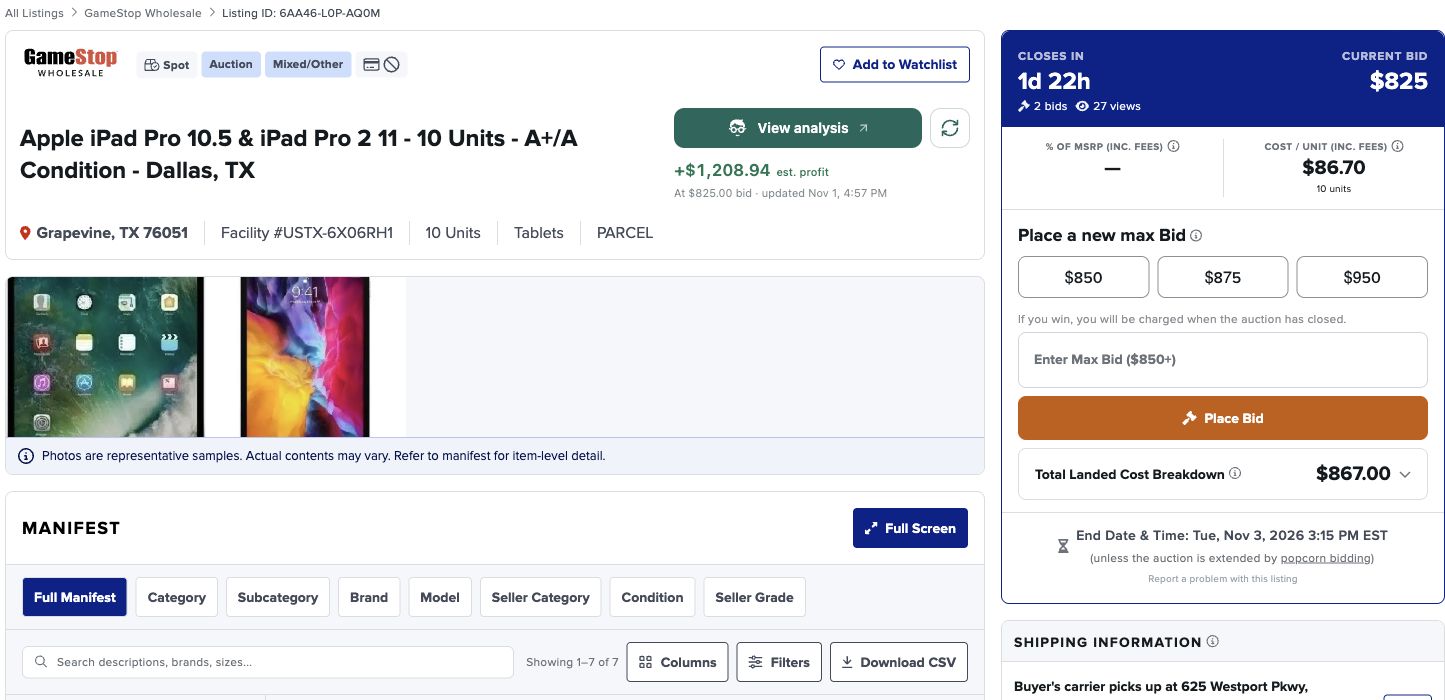
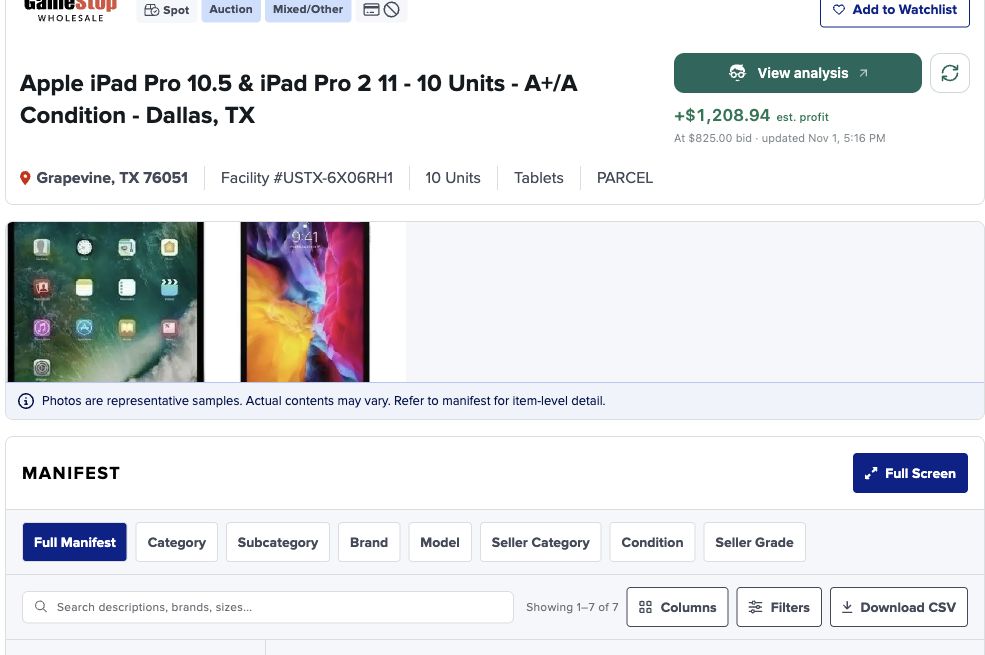
The complete manifest contained seven rows covering three tablet configurations. We checked that the quantities totalled ten and read the A+/A seller grades before choosing a resale condition.
Step 2 — Choose conditions and start LotGeek
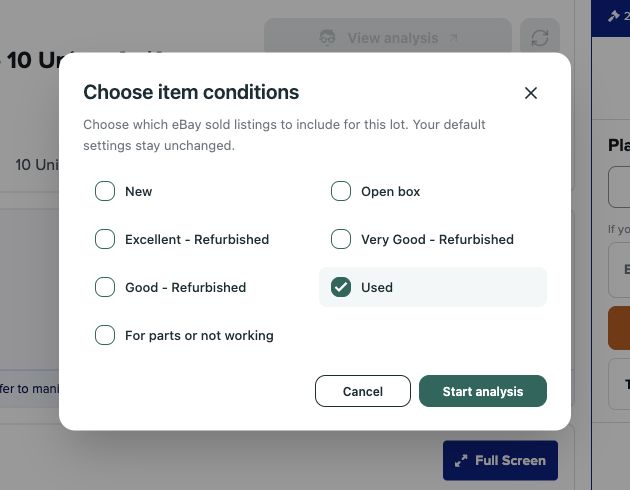
Click Analyse lot, choose the conditions you want to use for comparisons and start. We selected Used. LotGeek handles the repeated price searches and quantity calculations while you stay on the lot page.
Step 3 — Read the report at the current bid
LotGeek estimated the contents at $2,050.44. At an $825 bid plus the $16.50 buyer fee, the report showed a +$1,208.94 spread before transport and resale expenses.
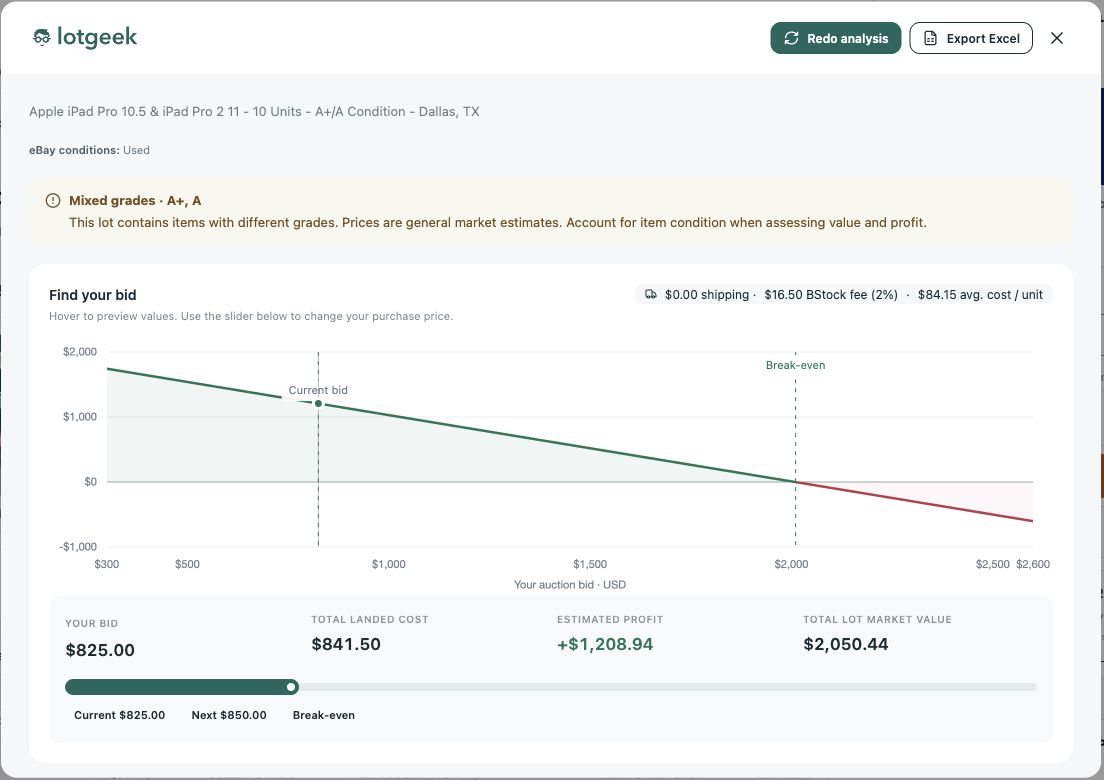
We then allowed $50 for transport, 15% of resale revenue for selling fees and returns, and $100 for outbound delivery and handling. That left +$751.37 before tax and unexpected defects. This was a lot worth investigating further—not a reason to bid without a ceiling.
Lot 2: Thirteen bids, but the price has already gone too far
Step 1 — Check what the $500 bid actually buys
The five-unit headphone auction showed an $878 retail total, 13 bids and a $500 current bid. Published shipping was $5 and the buyer fee was 3%. The lot looked active, but activity did not tell us whether it was profitable.
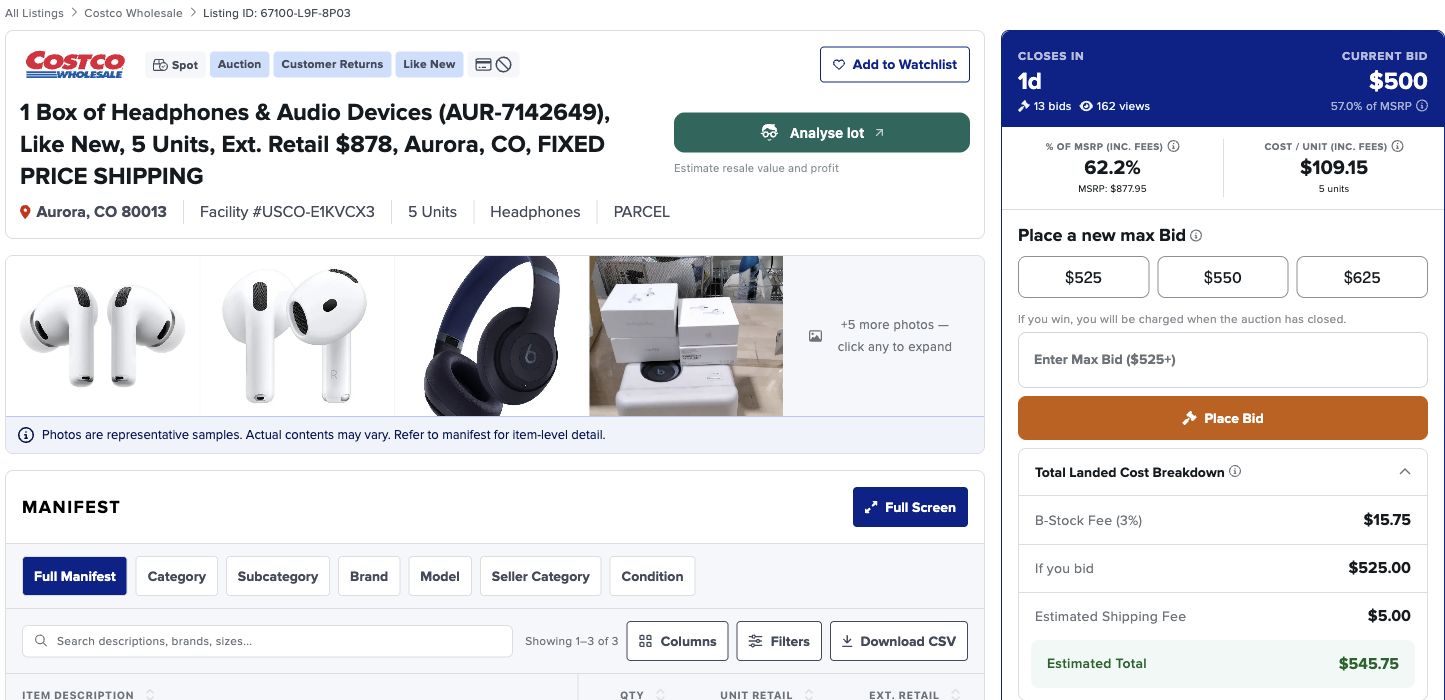
The manifest contained two AirPods 4 ANC, two AirPods Pro 3 bundles and one Beats Studio Pro. We checked those quantities instead of treating the retail total as a resale forecast.
Step 2 — Run the same LotGeek check
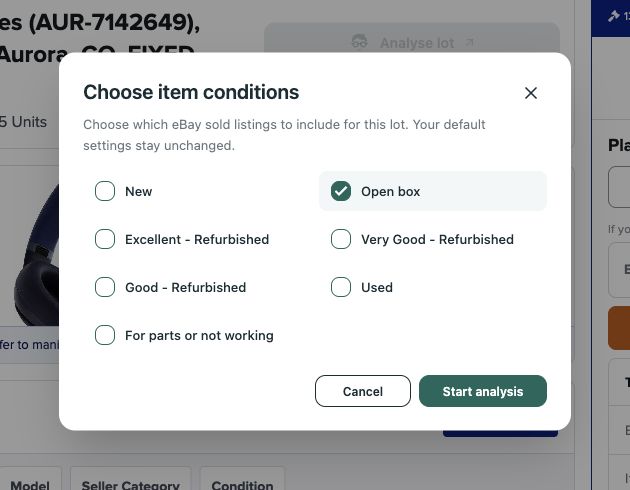
We selected Open box for this Like New lot and started the analysis. Keeping the condition choice explicit makes reports easier to compare.
Step 3 — Decide whether another bid makes sense
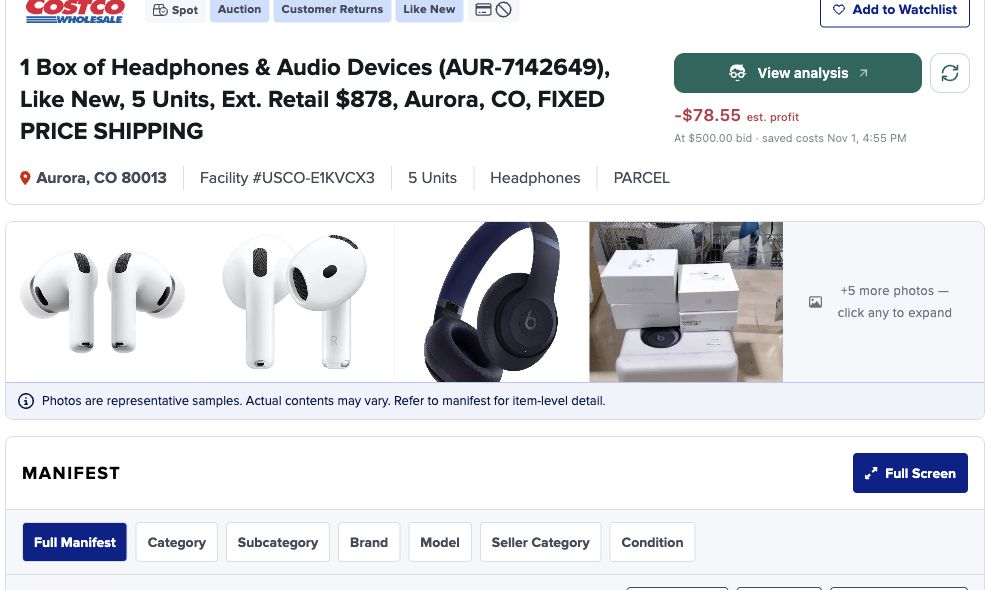
LotGeek valued the five units at $441.45. The $500 bid, $15 buyer fee and $5 shipping already cost $520. The report therefore showed −$78.55 before resale expenses.
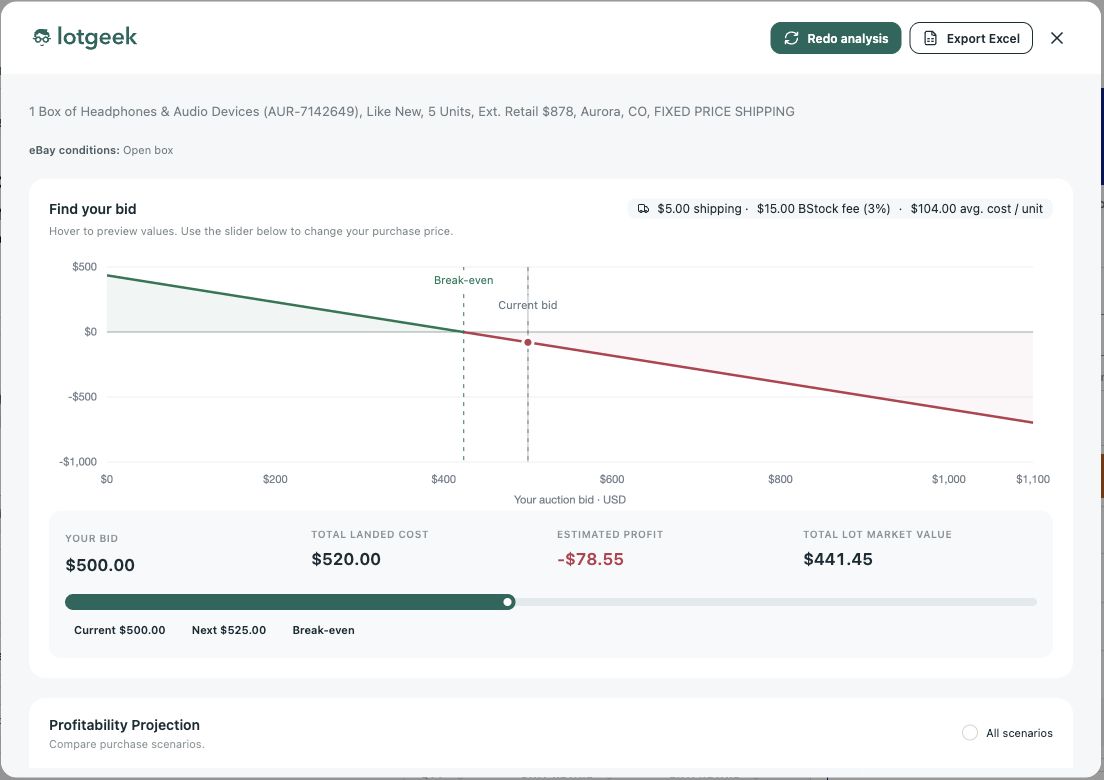
With a 15% selling allowance and $40 outbound/handling budget, the estimated result fell to −$184.77. Our decision was simple: pass. Winning the next bid would make the numbers worse.
Compare B-Stock lots before you compete for them
| At the recorded price | Tablet lot | Headphone lot |
|---|---|---|
| Current bid | $825.00 | $500.00 |
| LotGeek estimated resale | $2,050.44 | $441.45 |
| Remainder after our stated expenses | +$751.37 | −$184.77 |
| Our decision | Investigate further | Stop bidding |
The extra expenses above are planning assumptions, not carrier or marketplace quotes. Confirm them for your business before buying. The important comparison is the manifest’s realistic resale value against the current purchase price—not how many people are bidding.
Use LotGeek to get that comparison without rebuilding a price worksheet for every B-Stock auction. Open a lot, run the analysis, check the breakdown and use the slider to set your ceiling. Spend your time choosing inventory, rather than repeating the same searches and arithmetic.
Buying elsewhere too? Follow the TechLiquidators guide or Direct Liquidation guide.
For the full expense formula and a manual-versus-LotGeek comparison, read how to calculate the true cost of a liquidation lot.