How to Calculate the True Cost of a Liquidation Lot
Calculate a liquidation lot’s true cost and profit. Follow one real lot manually with eBay sold prices, then compare the same valuation in LotGeek.
An $825 liquidation lot does not cost you just $825. There may be a buyer fee, inbound transport and the cost of selling each item. And a pallet’s retail total tells you very little about what those items will actually bring back.
In this guide, we evaluate one real ten-unit B-Stock lot in two ways: first by checking eBay sold listings and building the calculation ourselves, then by using LotGeek. Both routes lead to the same buying decision. The difference is how much price-searching and worksheet work you have to do.
Recorded November 1, 2026. All figures below are estimates made before purchase. The manual sample is small; the delivery and selling allowances are stated assumptions.
Purchase cost, resale value and profit are different numbers
Purchase cost = winning bid or ask + buyer fee + inbound delivery.
Estimated profit = expected resale revenue − purchase cost − selling fees − outbound delivery − handling and other operating costs.
Add applicable taxes and a realistic allowance for defects or returns. If the customer pays outbound postage, do not deduct that same postage twice; if you offer free shipping, budget for it. A profitable-looking purchase spread can disappear after these expenses.
The lot: ten tablets at an $825 current bid
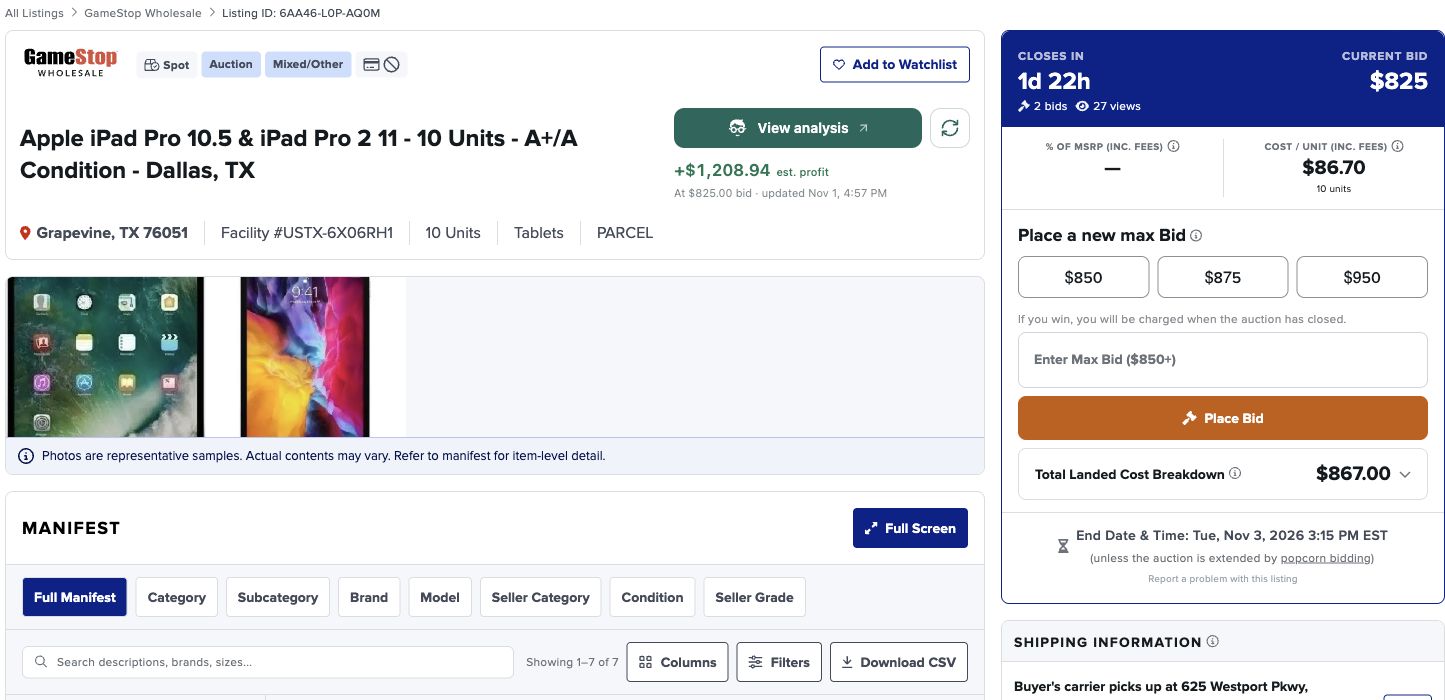
The listing contained ten iPad Pro tablets, described as A+/A condition. The current bid was $825, with a 2% buyer fee. Shipping was buyer-arranged. We used a $50 transport allowance until a delivery quote could be obtained.
Method 1: Calculate the liquidation lot manually
Step 1 — Group the manifest without losing any units
The seven source rows represented three useful comparison groups: three 10.5-inch 64GB tablets, three 10.5-inch 256GB tablets and four 11-inch second-generation 256GB cellular tablets. We checked the quantities, configuration and grade before searching for prices.
Step 2 — Check sold prices for each product group on eBay
Use Sold listings, choose the condition you expect to resell and compare the actual model and configuration. We used Used. Exclude damaged units, parts-only items, accessories and price ranges from a single-product comparison.
For the 64GB group, selected sales of $84.99 and $74.00 gave a rounded working price of $79.50.
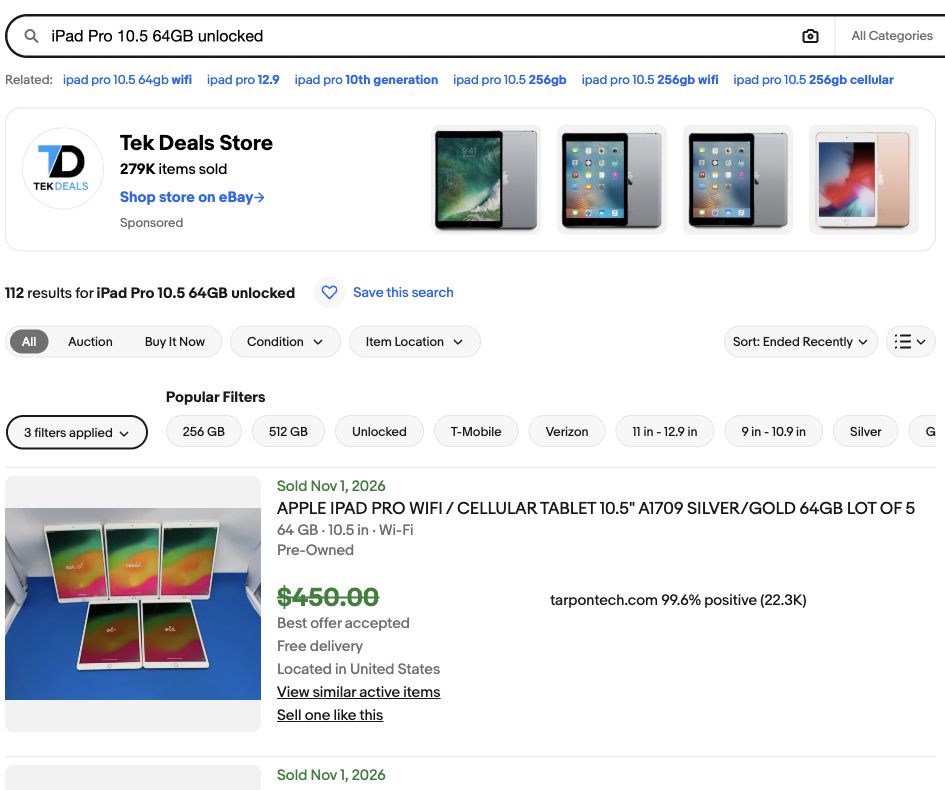
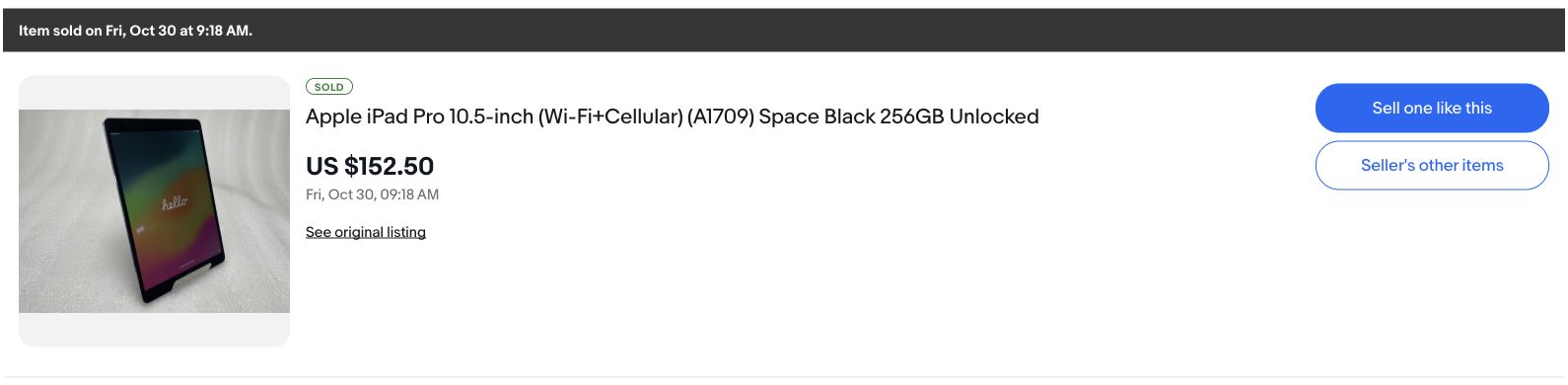
For the 256GB 10.5-inch group, we used a clear $152.50 auction sale. That is a single-sale benchmark, so it deserves more caution than a large sample.
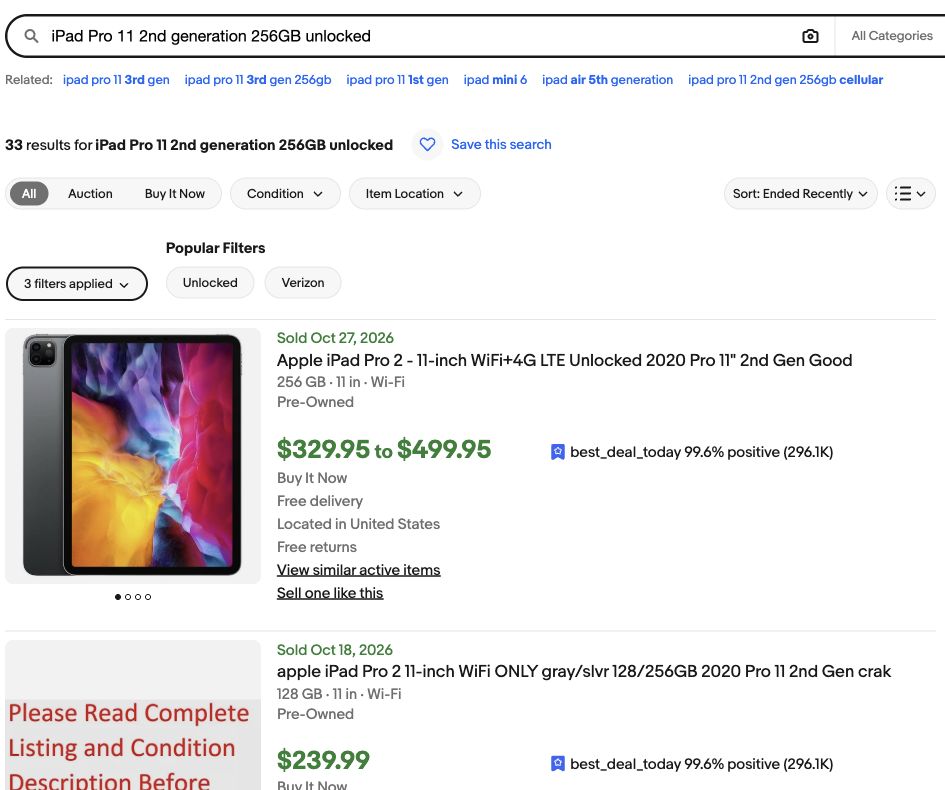
For the 11-inch second-generation 256GB cellular group, selected sales were $360.00, $299.99 and $399.99. The rounded average was $353.33.
Step 3 — Multiply the unit estimates by manifest quantities
| Product group | Quantity | Unit estimate | Estimated revenue |
|---|---|---|---|
| 10.5-inch · 64GB | 3 | $79.50 | $238.50 |
| 10.5-inch · 256GB | 3 | $152.50 | $457.50 |
| 11-inch · 2nd gen · 256GB cellular | 4 | $353.33 | $1,413.32 |
| Total | 10 | — | $2,109.32 |
This gives a working resale estimate of $2,109.32. It is not guaranteed revenue: actual condition, sell-through and the prices you achieve still matter.
Step 4 — Deduct the full expense budget
The $825 bid plus $16.50 buyer fee and $50 transport allowance gives an all-in purchase cost of $891.50. We then budgeted 15% of resale revenue for selling fees and returns ($316.40), plus $100 for outbound delivery and handling. The 15% is our planning allowance, not a quoted eBay fee.
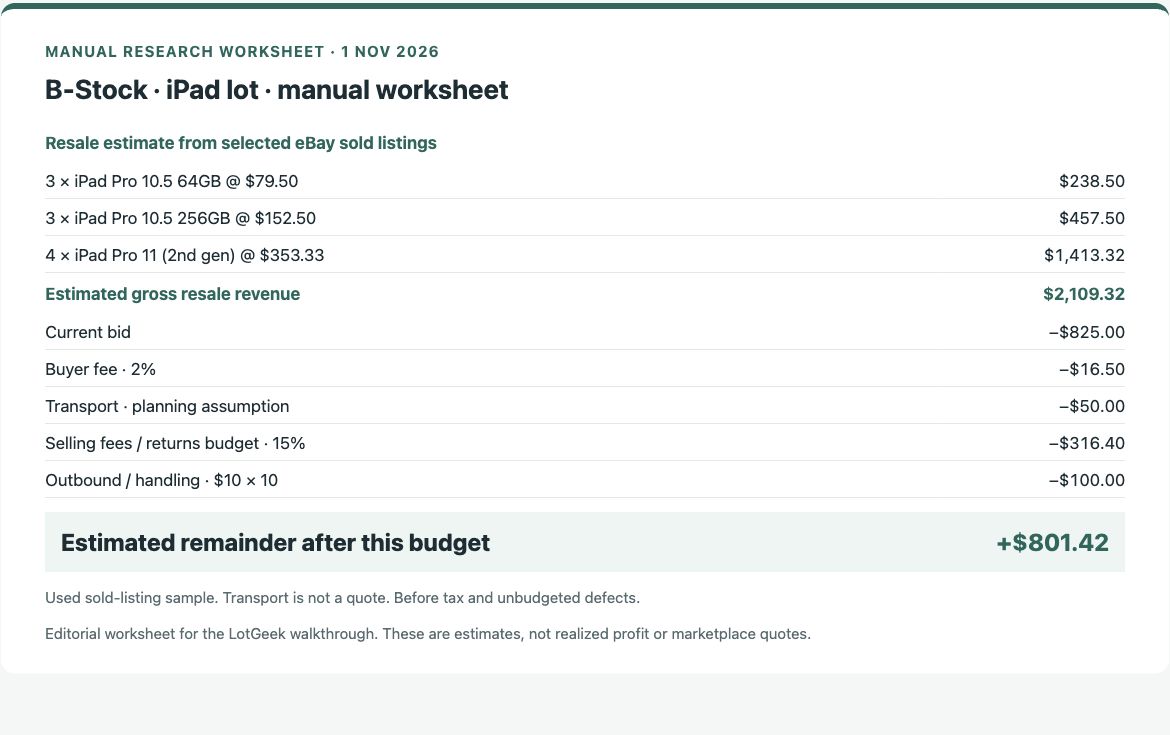
The estimated remainder is +$801.42, before tax or unbudgeted defects. At the recorded bid, we would keep investigating. We would confirm the delivery quote and device condition before buying.
Method 2: Analyze the same lot with LotGeek
Step 1 — Start the report from the lot page
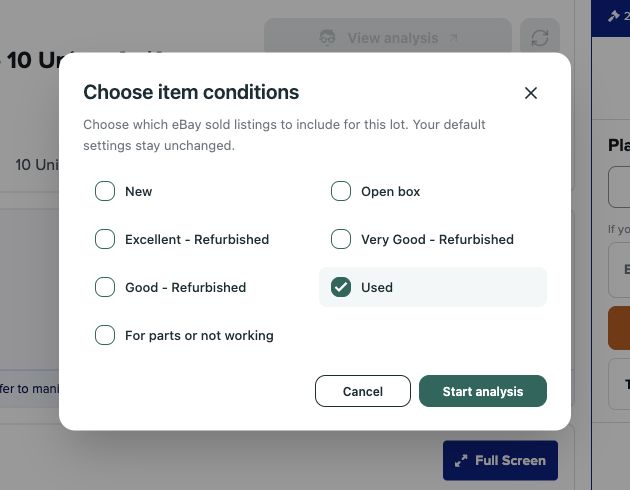
Click Analyse lot and choose Used, matching the manual comparison. LotGeek handles the repeated product-price research and quantity calculations for the manifest.
Step 2 — Check the valuation and the current-bid scenario
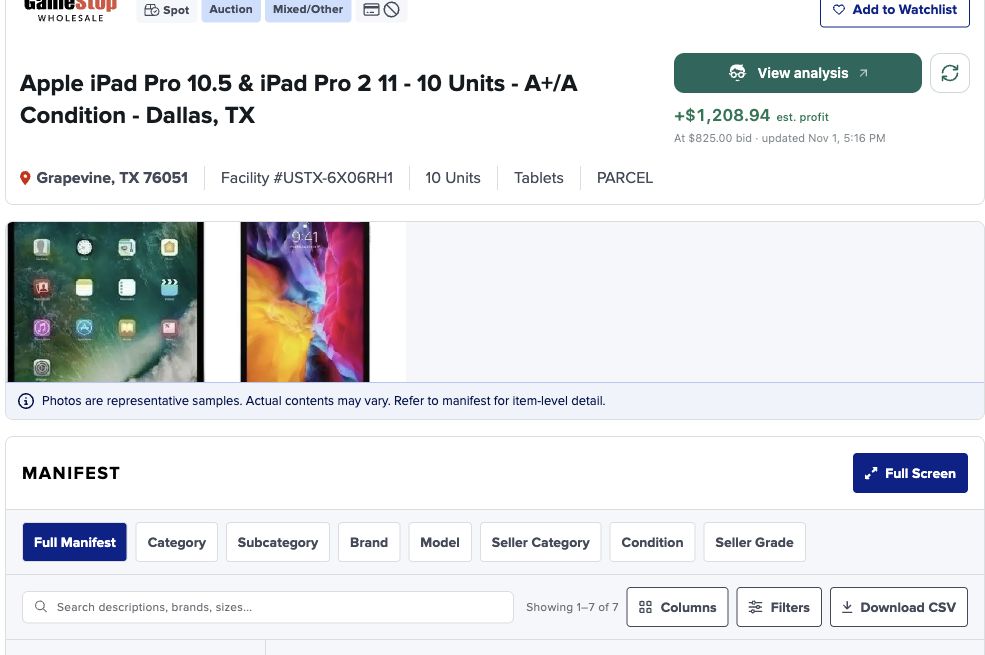
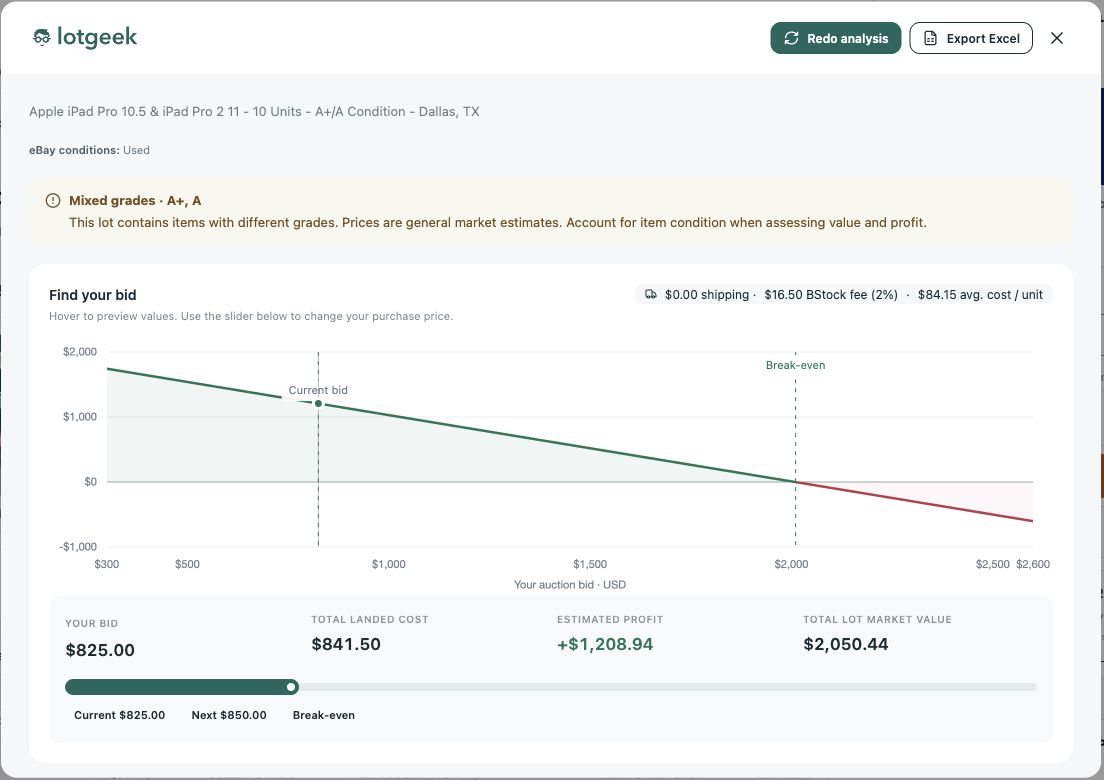
The saved LotGeek run completed in approximately 39 seconds and returned $2,050.44 in total estimated resale value. The report showed +$1,208.94 after the bid and 2% buyer fee, before transport and selling expenses.
Step 3 — Review the breakdown and apply the same cost budget
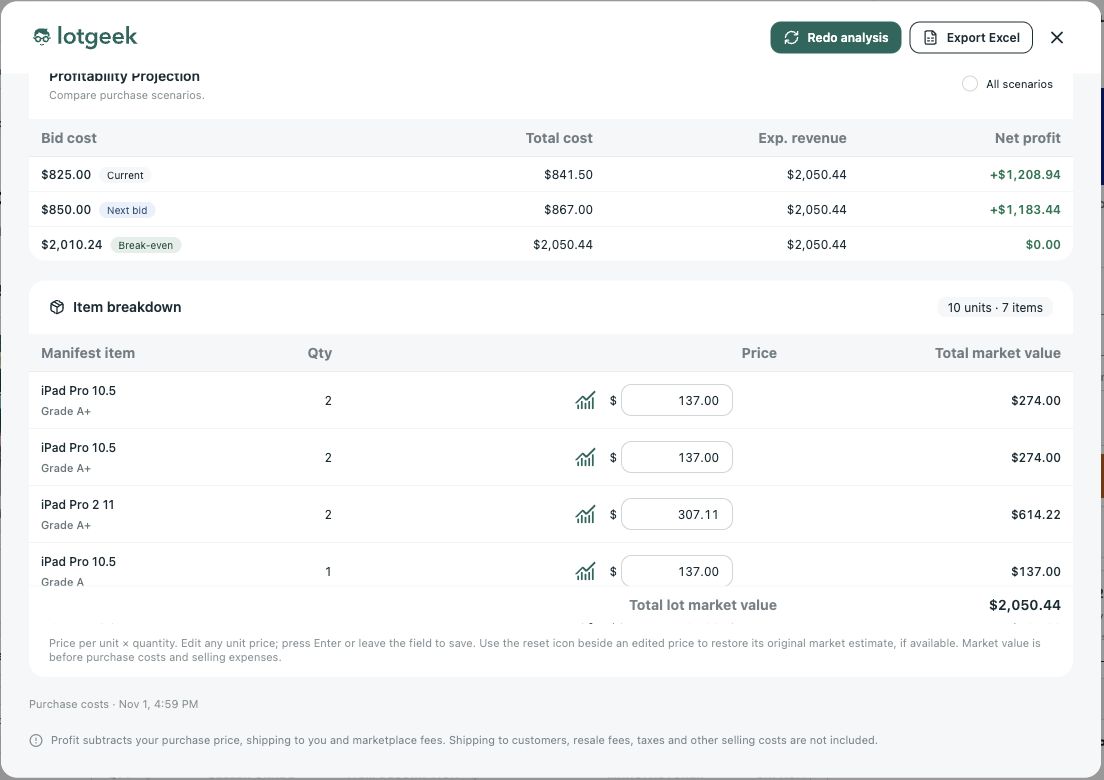
Check the item estimates and change a price if you have better information. Add quoted shipping and buyer fees in the report. For the comparison below, we apply the same $50 inbound, 15% selling allowance and $100 outbound/handling budget to both methods.
Same buying decision, much less manual work
| Comparison | Manual worksheet | LotGeek-based calculation |
|---|---|---|
| Estimated resale revenue | $2,109.32 | $2,050.44 |
| Bid + buyer fee + assumed inbound | $891.50 | $891.50 |
| 15% selling / returns allowance | $316.40 | $307.57 |
| Outbound delivery and handling | $100.00 | $100.00 |
| Estimated remainder | +$801.42 | +$751.37 |
| Buying decision | Investigate further | Investigate further |
The resale totals differ by 2.8% in this example. They are not identical samples, but they support the same decision at the $825 bid. The same expense assumptions are used on both sides.
Manually, we made three product searches, inspected the comparisons, copied prices, multiplied quantities and built the worksheet. With LotGeek, the valuation was ready to review after the 39-second run. We could move straight to the estimates and costs that affected the bid instead of preparing every line ourselves. That timing describes this run, not a fixed completion time for every lot.
Stop rebuilding the same liquidation profit worksheet
You still need to know your delivery, selling and operating costs. You do not need to repeat the price-searching and arithmetic from scratch for every lot. Let LotGeek prepare the valuation, check the breakdown and use the bid slider to see what you can afford to pay.
Start with LotGeek’s liquidation lot analyzer, then follow the step-by-step guides for B-Stock, TechLiquidators and Direct Liquidation. The aim is simple: spend less time assembling numbers and make the buying decision before the bidding carries you past your margin.